GuideSeptember 29, 20265 min read

WhoUnfollowed Blog

How to See Who Unfollowed You on Instagram From Your Phone

Everything you need to see who unfollowed you on Instagram fits on your phone: request your data, download the ZIP, and upload it. Here are the steps, plus the two mistakes that make uploads fail on mobile.

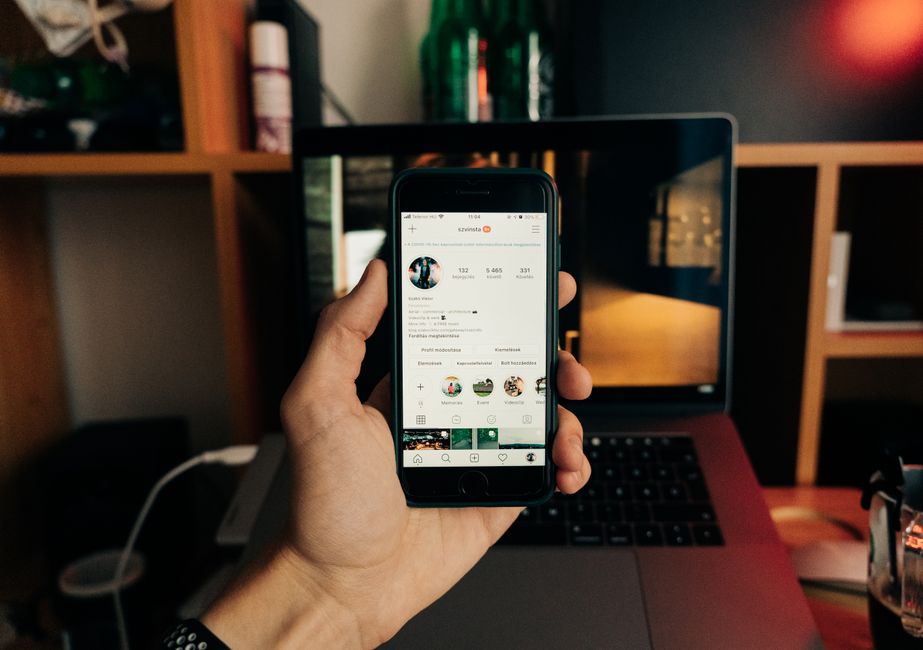
A hand holding a smartphone with Instagram open, representing checking who unfollowed you from a phone

Yes, and you never need a computer. The whole process runs on your phone: request your data in the Instagram app, download the ZIP Meta sends you, and upload it to WhoUnfollowed in your mobile browser. There is no app to install and no password to hand over.

Step 1: Request Your Data in Instagram

In the Instagram app, open your profile and go to the settings menu, then find Accounts Center. From there:

  1. 1.Tap Your information and permissions, then Export your information, then Create export.
  2. 2.Choose your Instagram profile, then Export to device. Pick this one, not "Transfer to destination."
  3. 3.Under Customize information, deselect everything except Followers and following.
  4. 4.Set the date range to All time and the format to JSON, then start the export.

The full export walkthrough covers each screen in more detail if a menu looks different on your version of the app.

Step 2: Wait for the Email, Then Download the ZIP

Meta can take a few minutes to prepare the file, and sometimes longer. When it is ready, you get an email with a download link. Open it on your phone and download the ZIP.

On iPhone, save it with the Files app, not through the Mail app. Downloads opened straight from Mail are a common reason uploads fail later. On Android, download it as usual and leave it as a ZIP.

Step 3: Upload It to WhoUnfollowed

Open whounfollowed.co in your phone's browser, tap Choose file, and select the ZIP. The parsing happens in your browser in about two seconds, and the file never leaves your phone.

Two things prevent most mobile upload errors:

  • Do not unzip or rename the file. Upload the original ZIP exactly as it arrived.
  • Let it finish downloading first. A file that is still syncing from iCloud or Google Drive can fail to open. Wait until it has fully downloaded, then choose it.

What You Will See

The free plan shows who you follow that does not follow you back. Seeing who unfollowed you between two dates works by comparing two exports: anyone in the older file who is missing from the newer one left in between. Instagram does not tell you when that happens, so this comparison is the reliable way to know.

Do You Need to Log In Anywhere?

No. Nothing here asks for your Instagram password, and nothing connects to your account. Apps that do ask for it are the ones to avoid. Your export is your own data, and reading it in your browser keeps it on your phone.

In Short

  • The full check works from a phone: request the export, download the ZIP, upload it.
  • On iPhone, download with the Files app and do not open it through Mail.
  • Never unzip or rename the ZIP, and wait until it has finished downloading before you pick it.
  • One export shows who does not follow you back. Two exports show who unfollowed you.

Upload your export and see the list in about two minutes.

Frequently asked questions

Can you see who unfollowed you on Instagram from your phone?

Yes, you can request your data export in the Instagram app, download the ZIP on your phone, and upload it to WhoUnfollowed in your mobile browser.

Do I need to install an app to check who unfollowed me?

No, WhoUnfollowed runs in your browser and reads your export locally; nothing needs to be installed and there is no login.

Why does my ZIP fail to upload on iPhone?

The usual causes are downloading the ZIP through the Mail app instead of the Files app, unzipping or renaming it, or picking it before it has finished downloading.

How long does the Instagram export take to arrive?

Instagram usually needs a few minutes to prepare it, and Meta emails you a download link when it is ready.

Can I see who unfollowed me from one export?

One export shows who does not follow you back; seeing who unfollowed you between two dates needs two exports compared, which saved snapshots make automatic.

Do the whole check from your phone.

No app to install and no login. Request your export in Instagram, then upload the ZIP to WhoUnfollowed from your phone. It reads the file in your browser and shows who does not follow you back in about two minutes.

Check who unfollowed me

Checking again next month? Pro saves each snapshot, so your next upload shows exactly who left since the last one. See Pro β†’

Part of a guide
Read the full guide
Who Unfollowed You on Instagram? How to See (Without Getting Banned) β†’
→Why Did I Lose Followers Overnight on Instagram?→How to See Who Doesn't Follow You Back on Instagram (Free, No App)→Does Instagram Notify Someone When You Unfollow Them?→Can You See Who Unfollowed You on Instagram?→Deactivated, Deleted, or Blocked? How to Tell What Happened on Instagram→Someone Followed You, Then Unfollowed? The Follow/Unfollow Method→Instagram Unfollow Checker: How to Check Who Unfollowed You (Free)→Is There a Free App to See Who Unfollowed You on Instagram?→How to See Who Unfollowed You on Instagram Without Them Knowing→How Often Should You Check Who Unfollowed You on Instagram?→I Unfollowed Someone on Instagram, But It Still Shows Me Following Them→The Instagram "Great Purge" of 2026: What Happened to Everyone's Followers→Why Doesn't Your Instagram Follower Count Match What a Tracker Shows?→Why Your Instagram Instants Audience Keeps Shrinking→Does Instagram's "Audience Connections" Show Who Unfollowed You?→Does Unfollowing Someone Remove Them as Your Follower?→Can You See Who Unfollowed You on a Private Instagram Account?→Instagram's "Following Categories" Show Who You Ignore. Does It Show Who Unfollowed You?→Does Blocking Someone Count as Unfollowing Them on Instagram?→Can Someone Tell If You Unfollowed and Refollowed Them on Instagram?→Do Businesses Need to Track Who Unfollows Them on Instagram?→Did They Unfollow You, or Just Start a New Instagram Account?→Mute, Restrict, or Unfollow on Instagram: What's the Difference?→Did I Accidentally Unfollow Someone on Instagram? How to Check→Did They Unfollow You, or Did Instagram Ban Their Account?→Why Did My Ex Unfollow Me on Instagram? What the Timing Tells You→Is It Normal to Lose Followers Every Day on Instagram?→Will Someone Unfollow Me Back If I Unfollow Them on Instagram?→How to Compare Two Instagram Follower Lists Manually→If Someone's Close Friends Stories Disappeared, Did They Unfollow You?→Can Your Instagram Follower List Order Show Who Unfollowed You?→If Someone Unfollows You and Refollows Fast, Will You Still Catch It?
More from the blog
Why Did I Lose Followers Overnight on Instagram?
Read β†’
How to Download Your Instagram Data (Step by Step)
Read β†’
All posts
See Who Unfollowed You on Instagram From Your Phone | WhoUnfollowed
