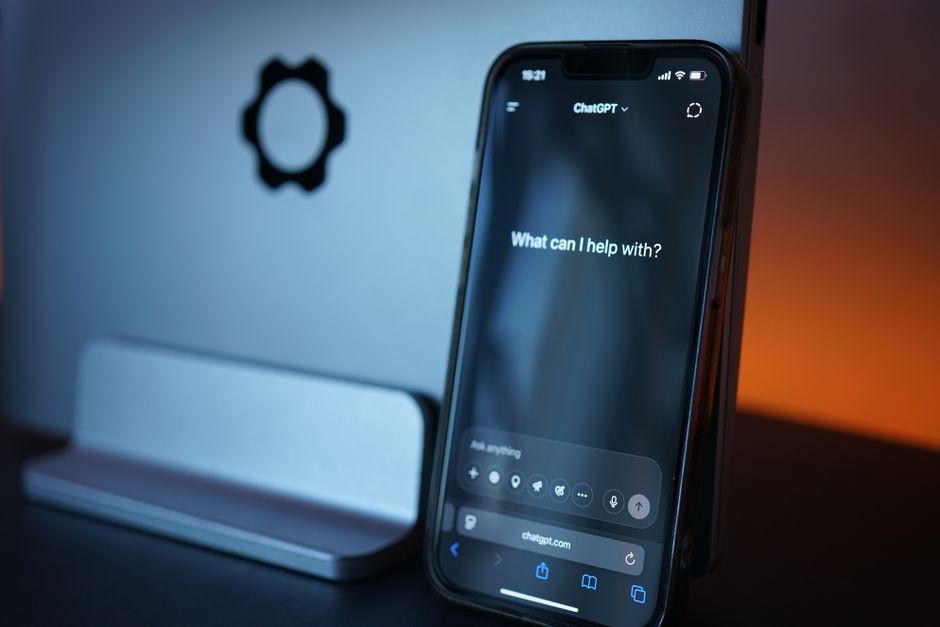
No. ChatGPT, Claude and Gemini cannot see your Instagram account, so none of them can tell you who unfollowed you. They have no access to your follower list, and even if they did, they would not know who was on it last month. The only reliable answer comes from comparing two copies of your own follower list, taken at different times.
Why can't ChatGPT see who unfollowed me?
When you type a question into ChatGPT, Claude, Gemini or Microsoft Copilot, the assistant answers from what it learned in training, sometimes topped up with a web search. Your follower list is in neither place. It sits behind your Instagram login, and a normal chat has no key to it.
There is no back door through Meta, either. Instagram cut third-party access to follower lists out of its developer API back in April 2018, and the older Instagram Basic Display API has returned errors since December 4, 2024. No chatbot has an official line into who follows you.
So when you ask "who unfollowed me on Instagram?", the honest reply is that the assistant does not know. Most of them will say so. If one ever hands you a list of names, it invented them.
Can an AI agent check my Instagram followers for me?
This part is new. Some assistants can now drive a web browser for you: the agent mode in OpenAI's Atlas browser, Perplexity's Comet, Claude in Chrome, and Gemini in Chrome. In some modes they can use sites you are already logged in to.
So could you point one at your followers page and say "read this"? In theory it could scroll the list. In practice you hit three problems:
- 1.It still cannot tell you who unfollowed you. Scrolling today's list shows today's followers. An unfollower is someone who was there before and is not now, so you need an earlier list to compare against, and the agent does not have one.
- 2.It breaks Instagram's rules. Instagram's Terms of Use bar collecting information in an automated way without Meta's permission, and Meta's Automated Data Collection Terms say bots and scrapers need express written permission. An agent paging through a few thousand followers is that kind of activity, and it happens on your account.
- 3.You hand an agent your logged-in session. Whatever it reads goes back to the AI company to be processed. For a list of everyone you know, that is a lot to give up for an answer the agent cannot even produce.
What can ChatGPT actually help me with here?
It can help with the steps, not with the answer. An assistant is fine for:
- Explaining where Instagram's "Export your information" menu lives and what to select.
- Spelling out the difference between an unfollower and someone who never followed you back.
- Talking you out of refreshing your follower count every hour.
What it cannot do is produce the list. That takes your data.
Can I just upload my Instagram data to ChatGPT instead?
You can, but then the chatbot is not seeing your account. It is reading a file you handed over, and the price is privacy. Your export is a full map of your social circle, with the date of every follow, and once you upload it, it sits on an AI company's servers, often under settings that allow training by default. One file also only shows who does not follow you back, not who left. We went through the trade-offs in is it safe to upload my Instagram data to ChatGPT.
Why did ChatGPT recommend an unfollower app?
Ask a few assistants for "the best app to see who unfollowed you" and you will get confident lists of app names. Those come from web pages the assistant read, many of them affiliate roundups, or from training data that may be months or years old. An app recommended that way might be gone, renamed, or one of the many that ask for your Instagram password. The assistant is not checking any of that for you. We dug into this in why AI assistants recommend different unfollower apps.
So how do I see who unfollowed me on Instagram?
Instagram does not notify you when someone unfollows, but it does let you download your own data, including your full followers and following lists. That export is the one source that is both complete and yours. Meta provides it under data portability rules like GDPR Article 20.
- 1.In Instagram, open Accounts Center, then Your information and permissions, then Export your information. The export guide covers each screen.
- 2.Select only Followers and following, choose JSON, and export to your device.
- 3.Upload the ZIP to WhoUnfollowed. It reads the file inside your browser. Nothing is sent to a server, and no AI model ever sees it.
One export shows who you follow that does not follow you back. To see who actually unfollowed you, you need a second export later: anyone in the old followers list who is missing from the new one left in between. That is the whole method, and it is the only one that gives you real names instead of guesses.
In Short
- ChatGPT, Claude, Gemini and Copilot cannot see your Instagram followers in a normal chat.
- Instagram has not let outside apps read follower lists through its API since 2018.
- A browser agent could scroll your list, but that is automated collection Instagram's terms prohibit, and it still cannot show who left.
- Your own data export is the reliable source. Two exports compared show exactly who unfollowed you.
Your export already has the answer the chatbot could not give you. Upload it and see the list in about two minutes.

